When Should You Replace a Spreadsheet or Manual Workflow?
A practical decision guide for operations owners considering automation, software, or a better process for work currently managed in spreadsheets and email.
Who this is for
Profitable service and operations businesses where a spreadsheet, inbox, or shared document has become a business-critical system.
Your current method may be ugly but valuable. Replacing it too early can remove flexibility; waiting too long can create errors, key-person dependency, and an invisible ceiling on growth.
The short answer
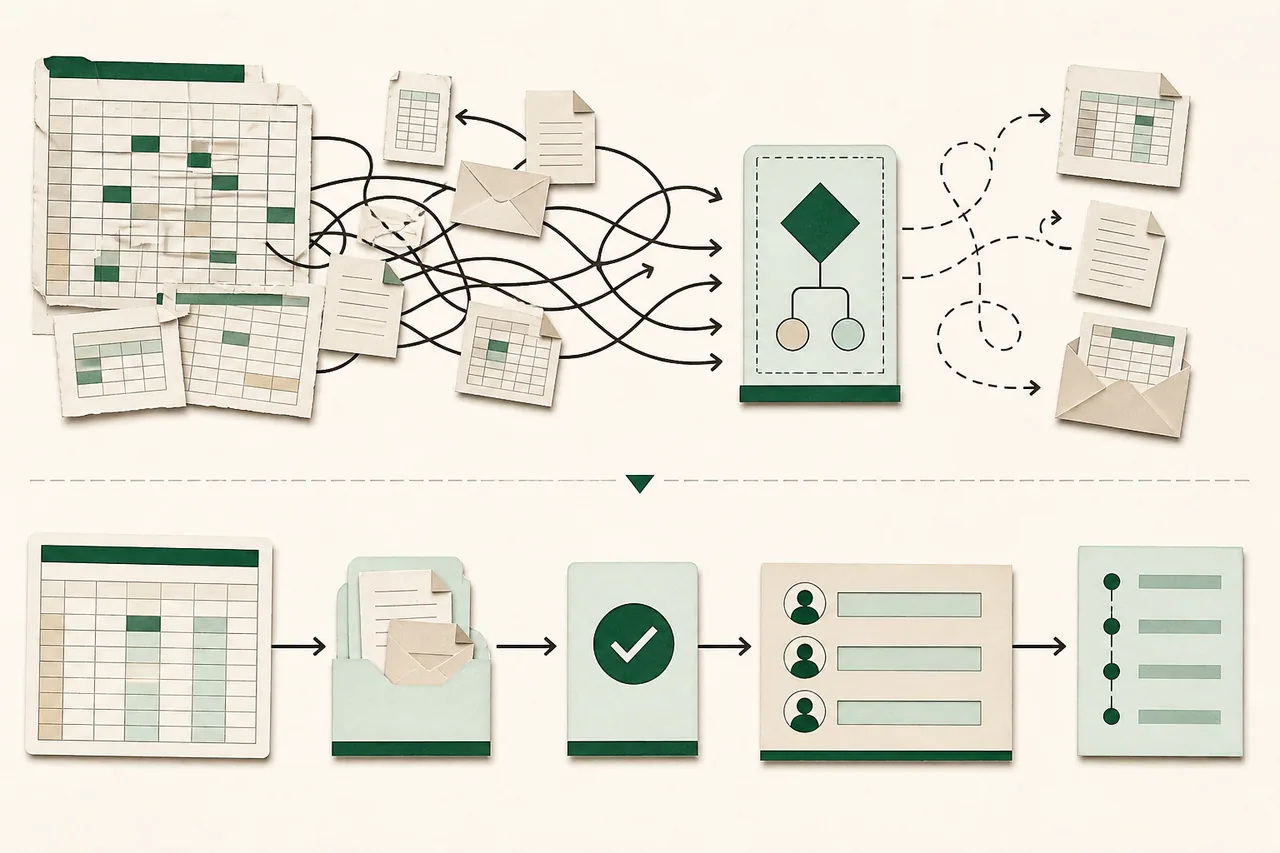
Do not automate because a spreadsheet looks old. Replace or reinforce it when the workflow is stable enough to describe and the cost of errors, delay, duplicate entry, or missing visibility exceeds the cost and risk of change.
What to do in the first hour
- 1.Choose one workflow, not the whole business. Mark its trigger, owner, inputs, decisions, handoffs, outputs, and definition of done.
- 2.Observe real work and collect ugly examples: incomplete requests, exceptions, rush jobs, corrections, approvals, duplicates, and end-of-month reconciliation.
- 3.Estimate current load using volume, minutes per case, rework, waiting time, error cost, and management attention. Separate measured samples from guesses.
- 4.Back up the current files and document any macros, formulas, linked sheets, permissions, and external imports before changing them.
Diagnose before you buy another solution
Keep the spreadsheet when one knowledgeable owner handles modest volume, errors are easy to catch, collaboration is limited, and the process is still changing rapidly.
Reinforce it when the basic model works but input needs validation, access needs control, history needs protection, or reporting needs consistency. A form, protected ranges, clear ownership, and a scheduled backup may be enough.
Replace it when multiple people overwrite truth, sensitive access cannot be limited, work waits between handoffs, status cannot be trusted, integrations cause duplicate entry, or a missing key person stops the operation.
A practical recovery plan
Simplify the process first
Delete reports nobody uses, combine duplicate approvals, name one system of record, standardize required inputs, and clarify exception authority. Automating waste produces faster waste and harder debugging.
Choose the smallest intervention
Options include a better template, a form feeding a protected sheet, a native CRM or project-tool workflow, a simple automation, a low-code database, or custom software. Select by risk and operating need, not prestige.
Prototype with real cases
Run recent normal and exception cases through the proposed workflow. Ask the people doing the work to compare speed, missing context, correction effort, and visibility. Preserve a manual fallback while learning.
Migrate deliberately
Define which historical data matters, clean identifiers, map fields, test a sample, reconcile counts and totals, and record what will remain archived. Do not import years of contradictory cells merely because they exist.
Operate the new system
Assign an owner, document the critical path, monitor failures, review access, export backups, and schedule a short post-launch review. The workflow is not finished when the interface ships; it is finished when the business can rely on it.
Questions to ask before approving more work
- Which measured cost or risk are we reducing?
- Which exceptions must the new workflow handle on day one?
- Can a native feature in software we already own solve this adequately?
- What becomes the source of truth and who may change it?
- How will staff work and recover if the new system is unavailable?
Red flags
- — A vendor proposes custom software without observing the workflow.
- — The project tries to automate every exception in the first release.
- — No one can state which spreadsheet or column currently represents truth.
- — Migration success is measured by an import completing rather than records reconciling.
- — The promised time savings ignore review, exception handling, and maintenance.
When to bring in specialist help
Get privacy, security, accounting, or regulatory review when the workflow controls sensitive data, financial reporting, safety, or regulated decisions. A casual spreadsheet may already carry obligations the team has never documented.